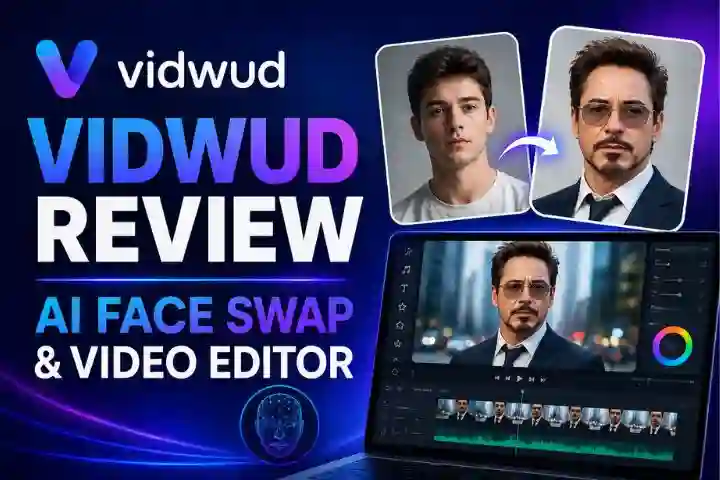
Artificial intelligence has completely changed the way people create digital content, and one of the most exciting tools in this space is Vidwud. Whether you are a content creator, marketer, social media enthusiast, or someone who simply enjoys experimenting with creative visuals, Vidwud offers an easy way to create AI-powered face swaps, video edits, and visual effects.
AI face swap tools have become highly popular because they allow users to create fun, realistic, and professional-looking edits without requiring advanced editing skills. Vidwud stands out as a browser-based platform that makes this process simple and accessible. Users can upload images or videos, apply AI-powered face swapping, and receive results within seconds.
This article covers everything you need to know about Vidwud, including its features, how it works, step-by-step usage, benefits, comparison with alternatives, pricing, safety, and frequently asked questions.
What is Vidwud?
Vidwud is an online AI face swap and video editing tool designed to help users replace faces in photos and videos using artificial intelligence. Since it works directly in the browser, users do not need to install any software or app.
The platform is mainly known for three major functions:
- Photo face swap
- Video face swap
- Multi-face swap for group photos and videos
Apart from these, Vidwud may also offer additional AI creative tools such as image enhancement and animation-based features.
What makes Vidwud especially attractive is its beginner-friendly interface. Even users with no editing experience can simply upload a source image and a target face, and the AI automatically processes the final output.
For example, if you want to place your face on a celebrity image, a movie character, or a creative meme, Vidwud can do this quickly and easily.
Features
Vidwud comes with several powerful features that make it one of the popular tools in the AI face swap category.
Photo Face Swap
This is one of the most used features of Vidwud.
Users simply upload:
- the original image
- the face image they want to use
The AI then processes the image and swaps the face realistically.
This feature works best with:
- front-facing faces
- clear lighting
- high-quality images
The final result usually looks sharp and natural when the image quality is good.
Video Face Swap
Vidwud also supports face replacement in short videos.
This feature is especially useful for:
- memes
- reels
- short videos
- social media content
- promotional clips
The AI tries to maintain consistency across multiple frames for a smooth result.
Multi-Face Swap
This feature allows users to replace multiple faces in a group image or video.
It is ideal for:
- team photos
- group memes
- family images
- event pictures
Browser-Based Access
No installation is required.
This is a major advantage because users can access it on:
- desktop
- laptop
- mobile browser
- tablet
Fast Processing
Photos are usually processed within seconds, while videos may take slightly longer depending on their size and length.
How It Works
Vidwud works using advanced AI facial recognition and deep learning technology.
The process mainly includes the following steps:
Face Detection
The system first scans the uploaded image or video and detects important facial landmarks such as:
- eyes
- nose
- lips
- jawline
- forehead
Facial Mapping
The AI creates a detailed structure of the face.
This helps it understand:
- face shape
- angle
- expression
- lighting
Replacement and Blending
The selected face is then adjusted to match the original image’s:
- skin tone
- angle
- facial expression
- lighting conditions
This blending process helps create a realistic result.
Step-by-Step Guide
Here is how to use Vidwud step by step.
Step 1: Open the Website
Visit the official Vidwud platform in your browser.
Step 2: Choose the Tool
Select one of the following options:
- photo face swap
- video face swap
- multi-face swap
Step 3: Upload the Original File
Upload the original:
- image
- video
Step 4: Upload the Target Face
Now upload the face image that you want to place into the original content.
Step 5: Start Processing
Click the Swap or Generate button.
The AI will begin processing your request.
Step 6: Download the Output
Once the process is complete, preview the result and download the final file.
The entire process is simple and takes only a few minutes.
Benefits
Vidwud offers multiple advantages for different types of users.
Easy to Use
The biggest advantage is simplicity.
No professional editing knowledge is required.
Saves Time
Traditional editing software may take a lot of time and skill.
Vidwud completes the task in seconds or minutes.
Budget Friendly
The free option makes it accessible for casual users and beginners.
Great for Content Creators
Vidwud is useful for creating:
- YouTube Shorts
- Instagram Reels
- memes
- entertainment videos
- promotional content
No Installation Required
Since it is web-based, it saves device storage space and works on most systems.
Comparison
Here’s a simple comparison of Vidwud with other AI face swap tools.
| Feature | Vidwud | Other Tools |
| Browser-based | Yes | Sometimes |
| Free photo swap | Yes | Limited |
| Video face swap | Yes | Yes |
| Multi-face support | Yes | Not always |
| Ease of use | Very easy | Varies |
| Beginner friendly | Yes | Depends |
Compared to many alternatives, Vidwud is especially good for beginners because of its easy interface and fast results.
Some premium tools may offer more advanced editing options, but Vidwud performs very well for regular users.
Safety / Pricing
Is Vidwud Safe?
Vidwud is generally considered safe for normal creative use.
However, users should always be careful while uploading personal photos or private content.
Important safety tips include:
- avoid uploading sensitive identity documents
- do not upload confidential images
- use only content you have permission to edit
- read the privacy terms before use
Pricing
Vidwud offers both free and paid plans.
Paid plans usually provide:
- more processing credits
- longer video support
- faster rendering speed
- watermark-free downloads
- higher upload limits
The free version is suitable for beginners, while paid plans are better for regular content creators.
FAQs
Is Vidwud free?
Yes, basic photo face swap features are generally available for free.
Does Vidwud work on mobile?
Yes, it works on mobile browsers.
Is sign-up required?
Some basic features may work without sign-up, while advanced tools may require an account.
Does it support group photos?
Yes, multi-face swap is supported.
Is it good for videos?
Yes, especially for short-form videos and social media content.
Conclusion
Vidwud is a powerful and beginner-friendly AI face swap platform that makes creative editing fast and simple. Whether you want to create memes, social media videos, promotional content, or fun visual edits, Vidwud provides an easy solution.
Its major strengths include:
- free photo face swapping
- fast browser-based access
- easy-to-use interface
- multi-face support
- video editing capabilities
For beginners, bloggers, and casual creators, Vidwud is definitely worth trying.
Also check : Crypto30x.com ASX