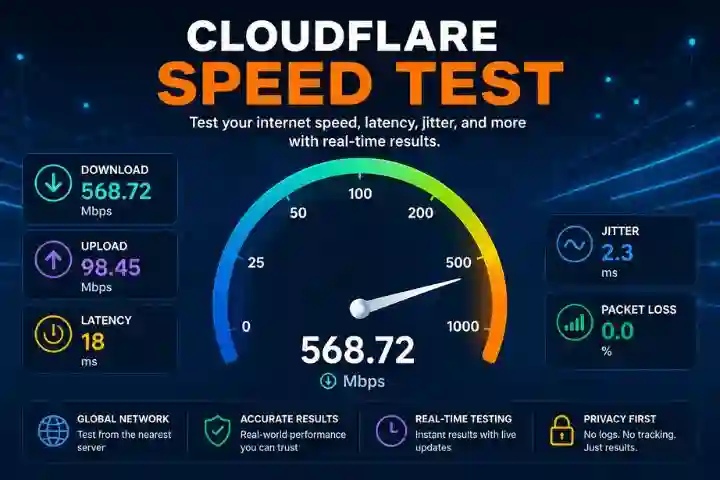
If you want to measure your internet connection quality with accurate real-world metrics, Cloudflare Speed Test is one of the most trusted tools available today. Unlike many traditional speed tests that only focus on raw bandwidth, this tool goes deeper by analyzing latency, jitter, upload speed, download speed, and network stability under load.
In this detailed guide, we will cover all major topics, including how it works, key features, result interpretation, benefits, limitations, and why it matters for users and website owners.
What Is Cloudflare Speed Test?
Cloudflare Speed Test is a browser-based internet speed testing tool that helps users measure the quality of their internet connection.
It works directly inside your browser without requiring any software installation.
The tool is designed to provide users with a clear view of how their internet performs in real-world situations.
Unlike ordinary speed tests that mainly focus on peak Mbps, it emphasizes connection quality and responsiveness.
Why Cloudflare Speed Test Is Important
Internet speed is not only about high download numbers.
A fast connection should also provide:
- Low latency
- Stable upload speed
- Low jitter
- Minimal packet loss
- Consistent performance during load
For activities such as:
- Online gaming
- Video calls
- 4K streaming
- Remote work
- Cloud uploads
- Live streaming
these metrics matter even more than raw speed.
This tool helps identify all these performance areas in detail.
How Cloudflare Speed Test Works
The speed test starts automatically when you open the page.
It runs a sequence of network measurements to evaluate your internet quality.
1. Latency Test
The tool first checks your ping or latency, which is the time it takes for data to travel between your device and the nearest server.
Lower latency means faster response times.
This is important for:
- Gaming
- Video calls
- Browsing
- Voice chat
2. Download Speed Test
Next, the tool measures download bandwidth.
This tells you how quickly data moves from the internet to your device.
It affects:
- Streaming speed
- Website loading
- App downloads
- File downloads
The result is usually shown in Mbps (Megabits per second).
3. Upload Speed Test
This checks how fast your device sends data to the internet.
Upload speed matters for:
- Zoom meetings
- Cloud backups
- Uploading videos
- Sending large files
- Live streaming
4. Loaded Latency Test
This is one of the most advanced features.
The tool measures latency while download or upload traffic is happening.
This helps determine whether your connection remains responsive during heavy usage.
For example, if your ping is 20ms when idle but becomes 200ms while downloading, your network may struggle under load.
This is highly useful for gamers and remote workers.
5. Jitter Test
Jitter measures the variation in latency.
Low jitter means stable performance.
High jitter causes:
- Lag spikes
- Choppy voice calls
- Buffering
- Video call interruptions
6. Packet Loss Test
Packet loss indicates how many data packets fail to reach their destination.
Even 1–2% packet loss can affect:
- Gaming
- VoIP calls
- Streaming quality
Key Features of Cloudflare Speed Test
Browser-Based Tool
No app installation is required.
You can run it directly from your browser, making it quick and simple.
Global Network Testing
One major strength is its worldwide network infrastructure.
The speed test automatically connects you to the nearest server.
This helps provide realistic performance measurements.
Real-World Performance Testing
Unlike some tests that aim only for peak throughput, this one focuses on practical network quality.
This better reflects how your internet behaves in daily use.
Live Result Updates
Results update in real time while the test runs.
You can monitor changes immediately.
Transparent Testing Technology
The testing system is designed to improve trust and transparency in speed measurement.
Understanding Cloudflare Speed Test Results
Let’s understand each result section.
Download Speed
Good download speeds:
- 25 Mbps = HD streaming
- 50–100 Mbps = multiple devices
- 200+ Mbps = heavy users
- 1 Gbps = premium fiber
Upload Speed
Recommended upload speeds:
- 5 Mbps = normal browsing
- 10 Mbps = HD video calls
- 25 Mbps = live streaming
- 100+ Mbps = professional creators
Latency
Ideal latency:
- Under 20 ms = excellent
- 20–50 ms = good
- 50–100 ms = average
- 100+ ms = poor for gaming
Jitter
- Under 5 ms = excellent
- 5–20 ms = acceptable
- Above 20 ms = unstable
Packet Loss
- 0% = perfect
- 1–2% = acceptable
- 3%+ = problematic
Who Should Use Cloudflare Speed Test?
This tool is useful for:
Gamers
Low latency and jitter testing helps gamers identify lag issues.
Remote Workers
Video call quality depends on stable upload speed and low latency.
Streamers
Upload speed and jitter are essential for smooth broadcasting.
Website Owners
Website owners can use speed metrics to understand connection performance and loading behavior.
General Internet Users
Anyone can use it to verify ISP performance and connection quality.
Benefits of Cloudflare Speed Test
Accurate Latency Under Load
This is one of its biggest advantages.
Many competing tools ignore this important metric.
Privacy-Focused
The tool is designed to provide results without requiring sign-up or personal information.
Free to Use
It is completely free.
No subscription is needed.
Limitations of Cloudflare Speed Test
Tests Connection to Specific Servers
One important limitation is that it tests your connection to its own network servers.
This may differ from performance to other websites or services.
Browser Dependency
Results may vary depending on browser performance.
Sometimes Chrome, Edge, or Firefox may show slightly different speeds.
Device Performance Affects Results
Older laptops or phones may show lower results.
CPU, RAM, and browser performance also affect testing.
Cloudflare Speed Test vs Other Speed Tests
Compared to Traditional Speed Tests
This tool focuses more on:
- Connection quality
- Latency under load
- Real-world usage
Other speed tests often focus mainly on:
- Peak download speed
- Peak upload speed
- Raw Mbps numbers
Compared to Streaming-Focused Speed Tests
Some tools mainly measure streaming speed.
Cloudflare Speed Test provides more technical details such as latency, jitter, and loaded response time.
Tips to Improve Speed Test Results
To get better results:
- Use an Ethernet connection
- Close background apps
- Restart your router
- Test near the router on Wi-Fi
- Upgrade your ISP plan
- Use 5 GHz Wi-Fi
- Replace an old router
Final Thoughts
Cloudflare Speed Test is one of the most advanced internet speed testing tools available.
It goes beyond simple Mbps numbers and provides detailed insights into:
- Speed
- Latency
- Jitter
- Packet loss
- Loaded performance
For users who want real-world network quality analysis, it is an excellent choice.
Also read : DigitalConnectMag.com